Gamers Guide: LightningX VPN Low Latency & Optimization
2026-05-11 ·
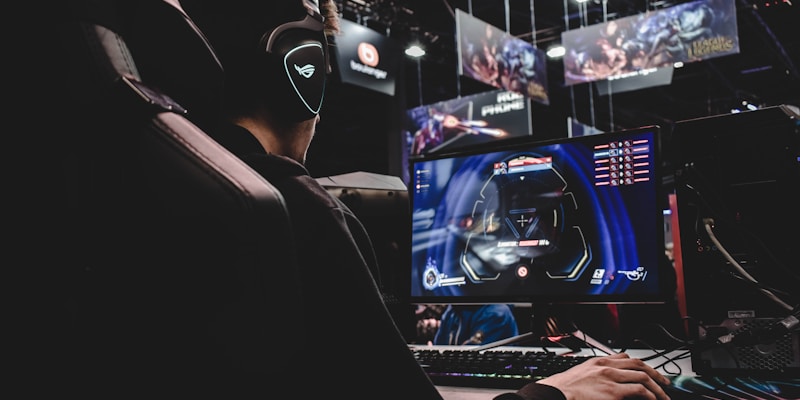
What makes your blood pressure spike the most in a game isn't an overpowered opponent or a clueless teammate — it's pressing your skill key and watching your character freeze in place for half a second before moving, and then your screen goes dark because you're already dead. Every high-ping player knows this "death by lag" experience intimately. LightningX Booster is built specifically to solve this problem. It doesn't compete with VPNs for IP-changing duties — it focuses on one thing and one thing only: crushing your gaming latency.
How Does Game Latency Happen?
Let's start with some basics. Every action you take in a game — moving, attacking, casting abilities — travels as data packets from your device, passing through multiple network nodes (routers, switches), and finally reaching the game server. The server processes your action, and the results travel back along the same path, turning into what you see on screen. This round-trip time is called "latency," measured in milliseconds (ms).
Every 10 milliseconds of added latency means your reactions lag a beat behind your opponent's. In competitive games like MOBAs and FPS titles, the gap between 50ms and 80ms can be the difference between winning and losing.
Under normal conditions, data packets travel along the default route — your ISP calls the shots, favoring the cheapest path rather than the fastest one. Your packets might take a massive detour before reaching the game server. This is the root cause of high latency.
How a Game Booster "Steals" Time
LightningX Booster's core approach is straightforward: bypass the default route.
It builds a proprietary forwarding network between you and the game server. Instead of following your ISP's default path, your data packets go to a nearby booster access point first, then travel through an optimized internal channel straight to the game server. Think of it like this: everyone else is stuck in downtown traffic at red lights, but you've taken the highway ring road around the city. The distance might look longer on paper, but your total travel time is actually shorter.
Beyond route optimization, LightningX Booster does two more things: packet loss compensation and protocol optimization. Packet loss caused by network instability has a massive impact on gaming — one lost packet means the server has to wait for a retransmission, costing tens or even hundreds of milliseconds. The booster minimizes packet loss impact through redundant transmission and intelligent retransmission mechanisms.
Supported Games
LightningX Booster covers a wide range of game types:
Popular domestic online games: League of Legends (China server), Honor of Kings, Game for Peace, Naraka: Bladepoint, PUBG (China server), CS2 (China server), and more — focused on reducing latency and preventing disconnections.
Overseas games (international servers): Valorant, Apex Legends, Fortnite, Genshin Impact (global), Honkai: Star Rail (global), Final Fantasy XIV, and more. In addition to reducing latency, these come with connection stabilization and anti-ban features.
Console games: Online play on PS5, Xbox Series X/S, and Nintendo Switch is also supported, though it requires configuration at the router level or network sharing through a PC to use the acceleration service.
The supported games list is continuously updated. Newly launched trending games are typically added within a week — a response speed that's among the fastest in the industry.
How Much Difference Does It Actually Make?
Results depend on your geographic location and the target server. Here are some real-world reference numbers:
Playing on domestic servers while physically in China (where latency is already low), the booster's role is more about stability — preventing ping from spiking wildly and pushing latency to its absolute minimum. Dropping from 40ms to 20ms creates a noticeable difference in MOBA gameplay.
Playing on Chinese servers from overseas — this is the most extreme latency scenario, and also where the booster delivers its most dramatic results. Going from 200ms+ down to under 100ms is common. While 100ms still can't compare to playing domestically, the leap from "completely unplayable" to "basically playable" is enormous.
Playing on international servers (e.g., Japan or Korea servers), once the booster finds the optimal path, latency typically drops by 30% to 50%. Going from 100ms to 60ms in an FPS game creates an entirely different tier of experience.
How It Differs from Gaming on a VPN
People often ask: can't I just use a VPN to change my IP and play? Why buy a dedicated booster?
VPNs and boosters are designed with completely different philosophies. VPNs prioritize privacy and IP changes — the encryption process itself adds latency, since all data must be encrypted and decrypted, and that takes time. Boosters prioritize speed and stability, doing minimal (if any) unrelated encryption and pouring all resources into route optimization.
Playing games directly through a VPN can actually increase your latency compared to not using one at all. LightningX Booster exists as a separate product precisely because this need can't be met by a VPN. Gamer pain points are a vertical problem requiring a vertical solution — a general-purpose tool falls short here.
Tips for Getting the Best Acceleration
A few practical details can squeeze out even better results:
Wired beats wireless: Wi-Fi itself adds an extra layer of latency. For competitive gaming, prioritize a direct Ethernet connection to your computer — you can shave off another 5 to 10ms.
Close background downloads: The booster optimizes routes, it doesn't magically create extra bandwidth. If something is downloading in the background, even the best booster can't save you.
Pick the right node: LightningX Booster's node list usually includes game-specific optimized nodes. If you're playing on a Japanese server, pick the Japan gaming node — don't just pick any random one.
Don't let your hardware bottleneck you: If your GPU is already maxed out, rendering latency becomes your biggest bottleneck, and network optimization gains will be swallowed by hardware limitations.
Who Is It For?
LightningX Booster is ideal for two types of gamers: overseas Chinese and international students who want to play on Chinese servers, and hardcore gamers in China playing on international servers (Japan, Korea, North America, or Europe). Casual players who only play single-player games or don't care about latency genuinely don't need a booster. But the moment you start caring about those few dozen milliseconds of difference, a booster becomes essential.
享受无限、高速和安全的浏览!立即保护您的隐私!
Get LightningX VPN